
TiviMate IPTV
What Is TiviMate? A Complete Guide for Beginners
If you’re new to IPTV and keep hearing about TiviMate, you might be wondering: What is TiviMate, and why does everyone call it one of the best IPTV players out there?
In this guide, we’ll break everything down in simple terms , what TiviMate is, how it works, and why it’s becoming the go-to IPTV application for streamers around the world.

What is TiviMate
What Is TiviMate?
If you’re wondering What is TiviMate, it’s an IPTV player that lets you stream live TV channels using your IPTV subscription. Unlike traditional cable or satellite TV, IPTV (Internet Protocol Television) delivers content over the internet, giving you more flexibility and control.
TiviMate itself doesn’t provide channels , instead, it serves as a powerful media player that connects to your IPTV provider’s service through a playlist link or Xtream Codes login.
Think of TiviMate as a sleek, modern dashboard that brings all your favorite live channels, movies, and TV shows together in one clean interface. It’s the smart bridge between your IPTV provider and your TV screen, turning your device into a premium streaming hub.
Why TiviMate Is One of the Best IPTV Players
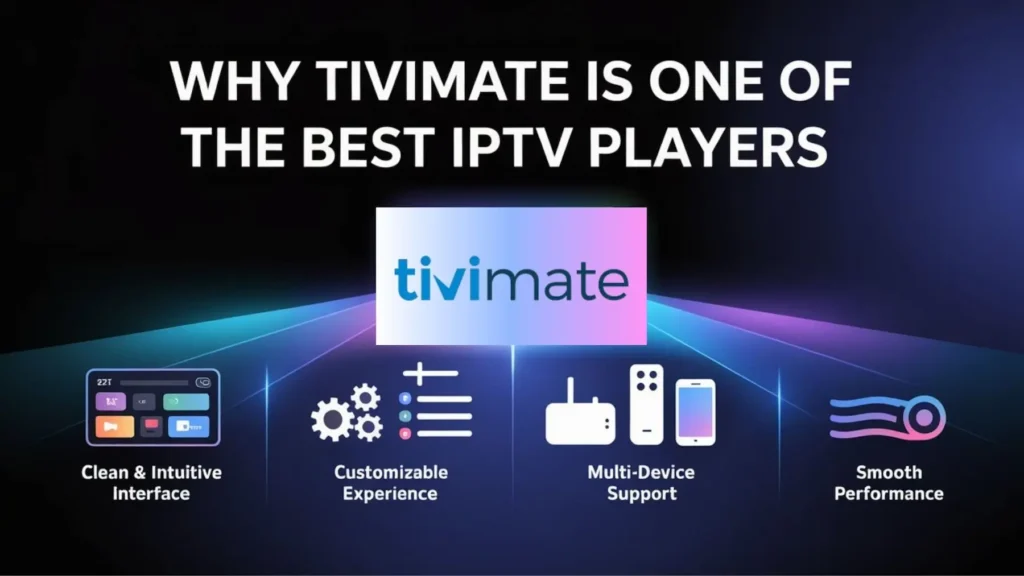
There are plenty of IPTV apps on the market, but TiviMate stands out for several reasons.
Here’s why many users call it the best IPTV player available today:
1. Clean and Intuitive Interface
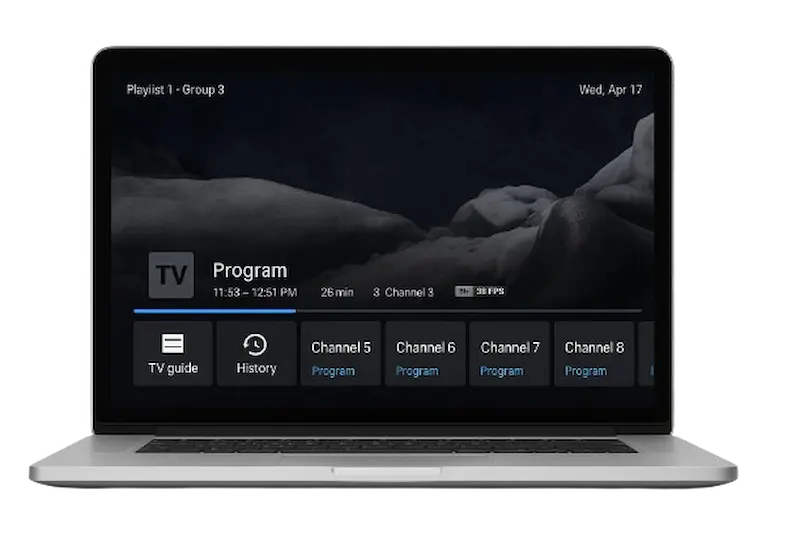
The layout feels just like traditional cable TV — with a guide (EPG), favorite channels, and quick access to live or recorded shows. Even beginners find it easy to use from the very first time.
2. Customizable Viewing Experience
You can rearrange channels, create groups, adjust display formats, or even set up multiple playlists. It’s built for flexibility, whether you’re streaming sports, movies, or local channels.
3. Multi-Device Support
TiviMate works beautifully on Android-based devices, including Firestick, Android TV boxes, and even Android smartphones or tablets.
While it’s primarily built for Android, many users also install TiviMate on Windows 11 using Android emulators like BlueStacks.
4. Smooth Performance
One of the standout features is stability. TiviMate offers smooth playback and quick channel switching — a must-have for anyone who watches live sports or PPV events.
Free vs. Premium: What’s the Difference?
TiviMate offers two versions — the free version and the TiviMate Premium version.
Free Version: Great for beginners who want to test out the app. You can add one playlist and explore the interface.
TiviMate Premium: Unlocks the full power of the app. You get multiple playlists, scheduled recordings, catch-up TV, favorites sync, and parental controls.
The premium version also allows you to use the same account on multiple devices, which is perfect for families or multi-TV setups.
If you’re not sure whether it’s worth it, you can always try the TiviMate trial first to see how it performs with your IPTV provider.
How to Install TiviMate on Firestick
Installing TiviMate on Firestick is quick and simple.
Since it’s not available directly from the Amazon App Store, you’ll need to use the Downloader app.
Go to the Amazon App Store and install the free Downloader app.
Open Downloader and enter the official TiviMate APK URL.
Download and install the app.
Once installed, launch TiviMate and log in using your IPTV provider credentials or playlist link.
That’s it — you’re ready to enjoy thousands of live channels, sports, movies, and more through your IPTV subscription.

Using TiviMate on Windows 11
If you’re a Windows user, don’t worry — you can still enjoy TiviMate on Windows 11 using an Android emulator.
Simply download an emulator like BlueStacks or NoxPlayer, install TiviMate through it, and you’ll have the same smooth IPTV experience right on your computer.
It’s a great way to watch your favorite shows while multitasking or when you don’t have access to your TV.
See the Difference – Try for Free Today!
Try our service free for 24 hours—no commitment, just enjoy and explore all our features!
Why Choose TiviMate IPTV as Your Provider
While understanding What is TiviMate is essential, it’s also important to know that TiviMate is just the player — you’ll still need a reliable IPTV provider to supply the content. That’s where TiviMate IPTV comes in.
At TiviMate IPTV, we provide access to thousands of premium live channels, sports events, and PPV entertainment — all perfectly optimized for use with the TiviMate app. Our service is fast, stable, and compatible with all major IPTV applications, including Smarters Pro, XCIPTV, and of course, TiviMate itself.
You’ll also enjoy:
HD and 4K streams
Global and local channel packages
24/7 customer support and instant setup
Flexible subscription plans
Whether you’re streaming on Firestick, Smart TV, or using TiviMate on Windows 11, our powerful servers ensure a smooth, buffer-free experience every time.
Final Thoughts
So, what is TiviMate really? It’s more than just another IPTV application — it’s the ultimate player that transforms the way you watch live TV.
Paired with a trusted provider like TiviMate IPTV, it delivers a professional, modern, and fully customizable streaming experience for anyone — whether you’re in the UK, Canada, or anywhere in the world.
If you’re looking for a reliable setup, start with the TiviMate trial, upgrade to TiviMate Premium for extra features, and connect it to TiviMate IPTV for the best results.
Once you experience it, you’ll understand why it’s considered the best IPTV player available today.